 TryUnex
How to use TryUnex
Eight things you can do, each in a tap or two. The pink ring on every screen shows what to tap.


1Add clothes
Photograph each piece once. Your whole wardrobe ends up in one place.
1.On your Wardrobe, tap +
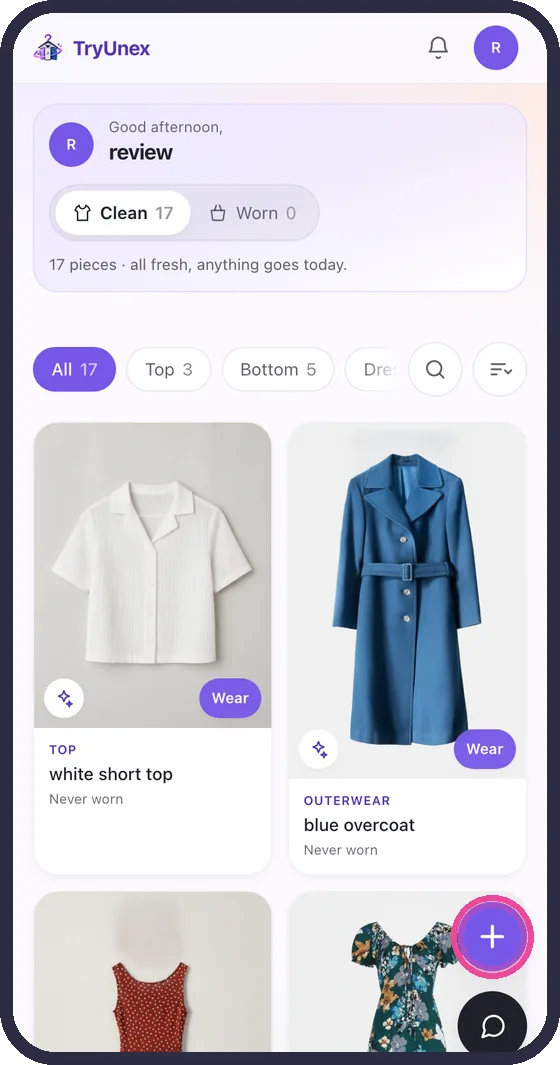
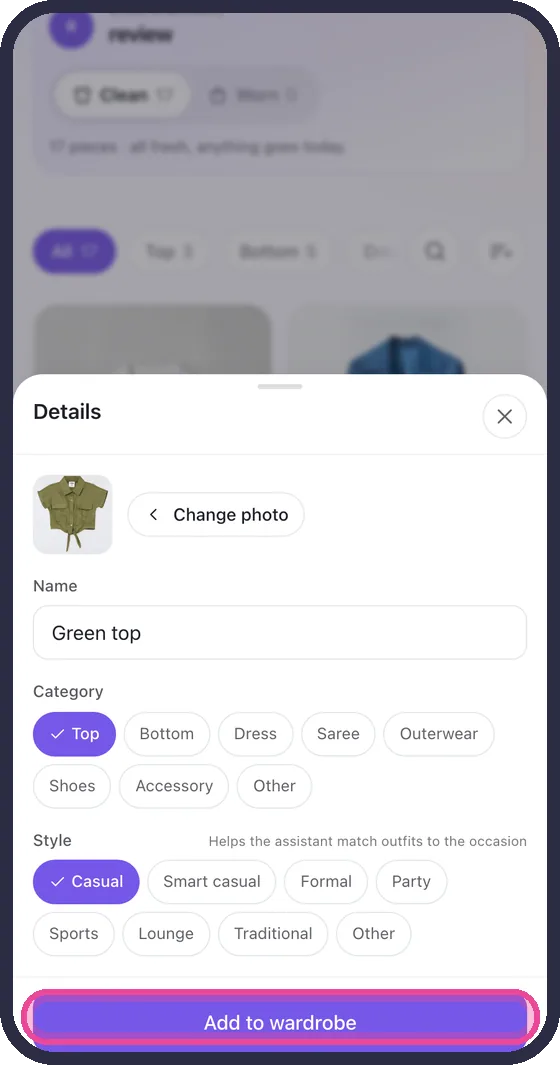
2.Take or choose a photo, name it, pick a category, tap Add to wardrobe
2Plan an outfit
Decide tonight what you wear tomorrow.
1.Open Plan, pick a day, tap the pieces
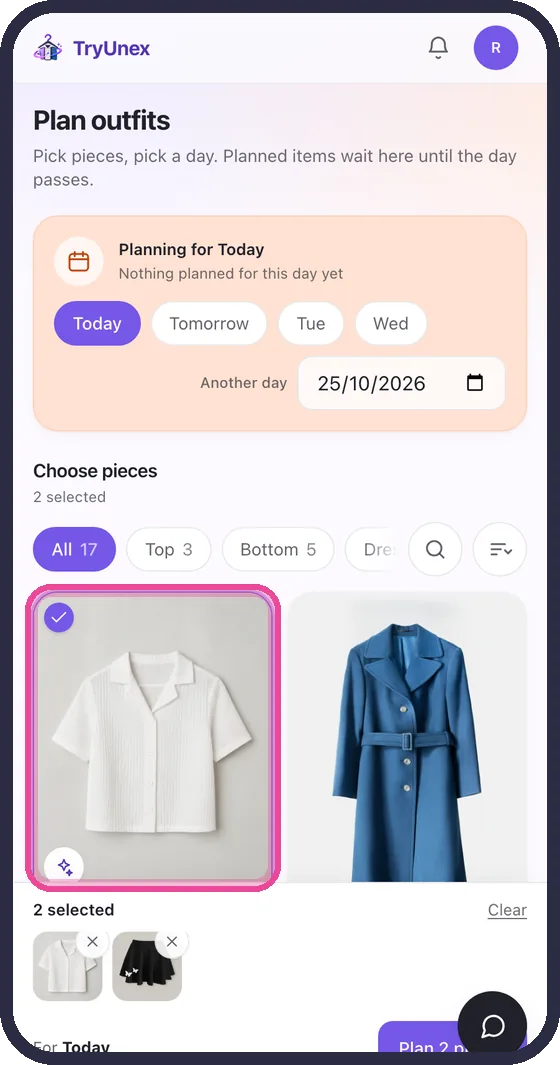
2.Tap Plan. The outfit waits on that day
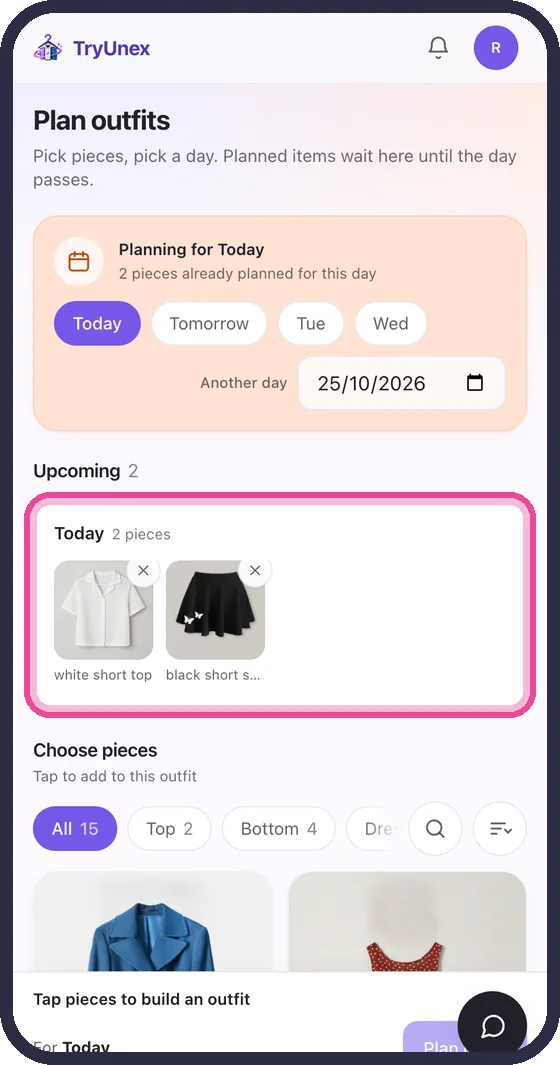
Worn pieces move to the laundry pile, and come back when you mark them clean.
3Try it on
See a look on a photo of you before you wear it or buy it.
1.Open Try-on, add a clear full-body photo, pick pieces, tap Put it on me
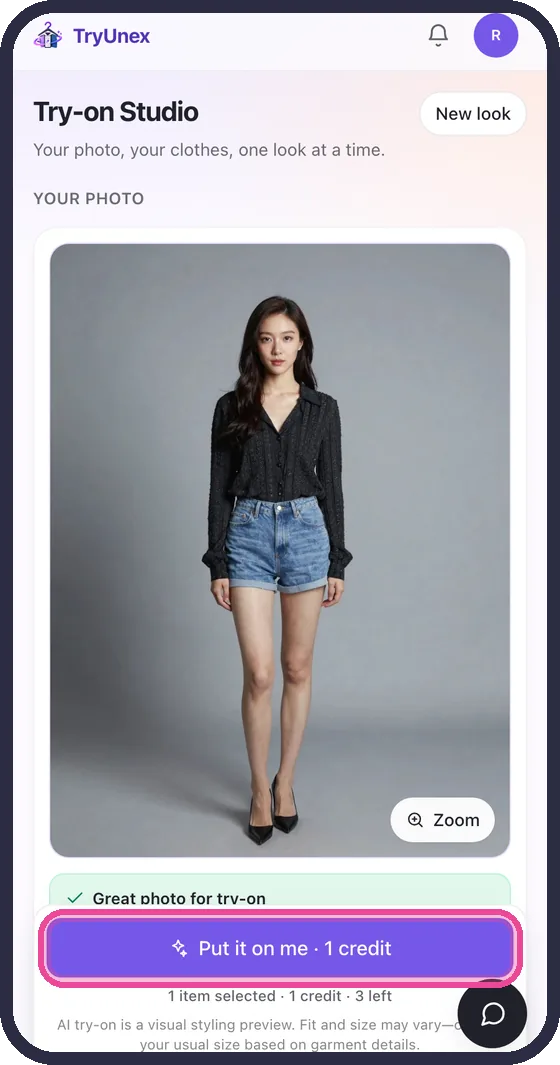
2.See the look on you

A look of one to three pieces costs one credit; four or five cost two. Try-on shows the look, not the size or fit.
4Shop real stores
TryUnex Finds shows clothes from real shops, in your own currency.
1.Open Shopping and browse, or filter by shop and category
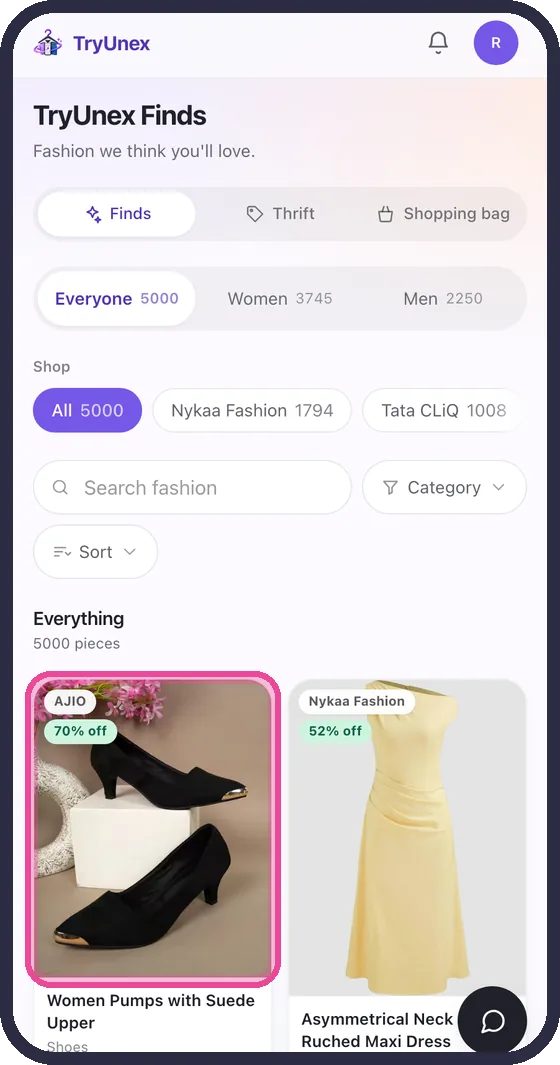
2.Try it on, add it to your bag, or buy it at the shop
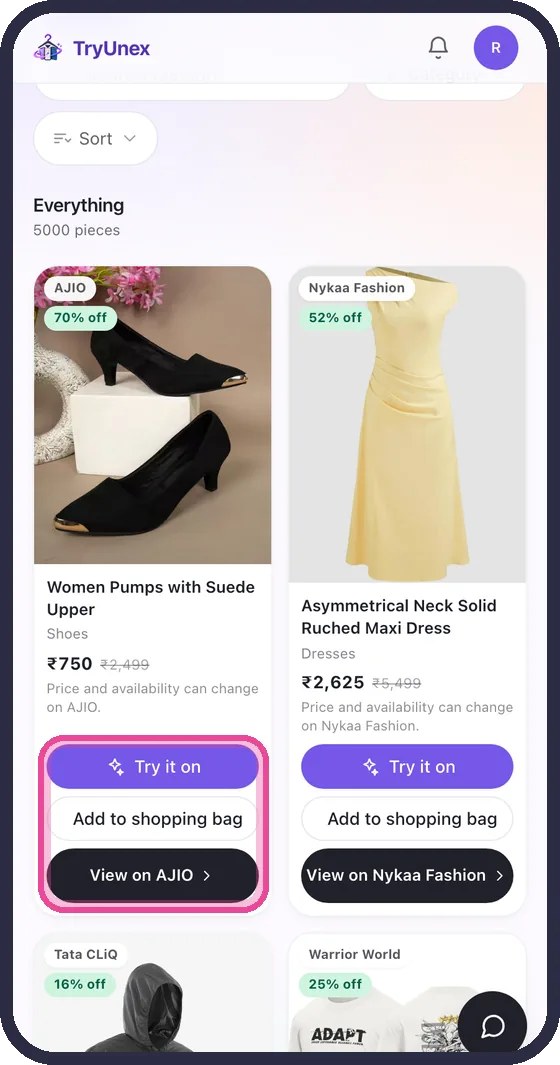
5Use the shopping bag
Standing in a shop? Try a piece on before you queue for the changing room.
1.In Shopping bag, tap Add, photograph the piece, then try it on
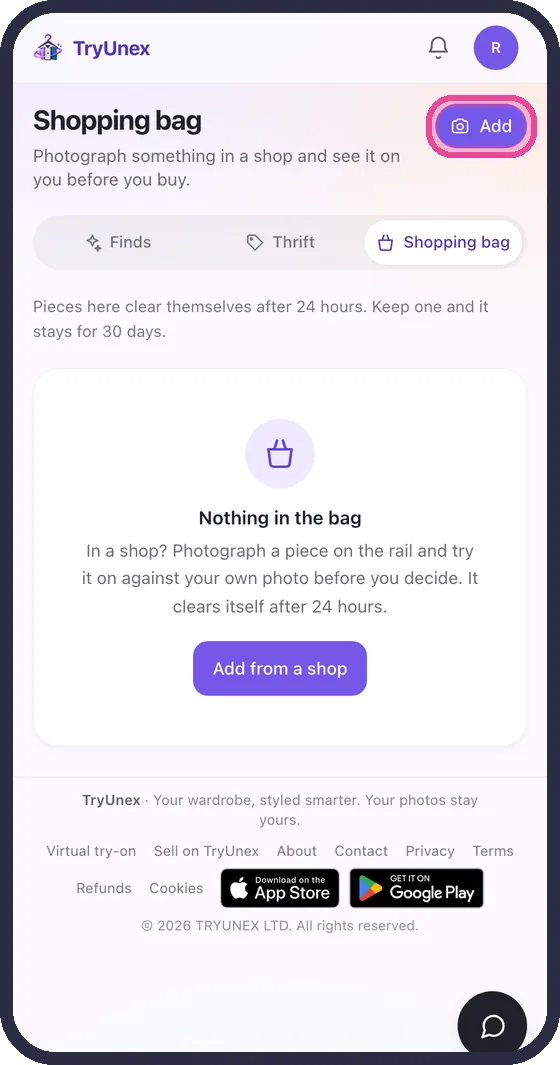
Bag items clear themselves after 24 hours unless you keep them.
6Share your wardrobe
Let a friend see your wardrobe, suggest outfits, or plan with you.
1.Open Sharing, choose what they can do, tap Generate share code and send it
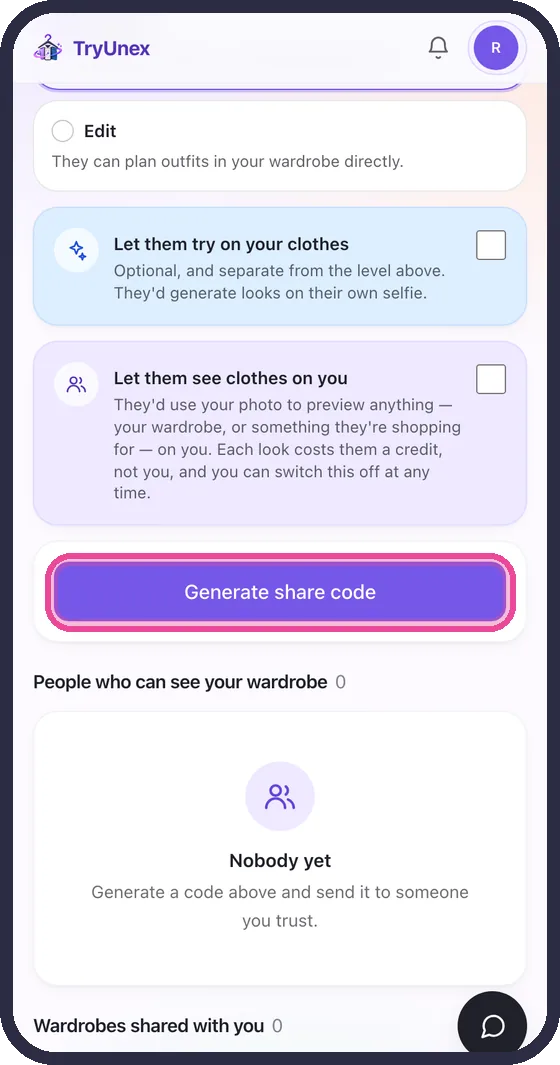
Nobody sees your wardrobe without a code, and you can take access back at any time.
7Plans and credits
New accounts start with 5 free try-on credits, and get 1 more free every two weeks.
1.Open Plans & credits to see your credits, buy a pack, or pick a monthly plan
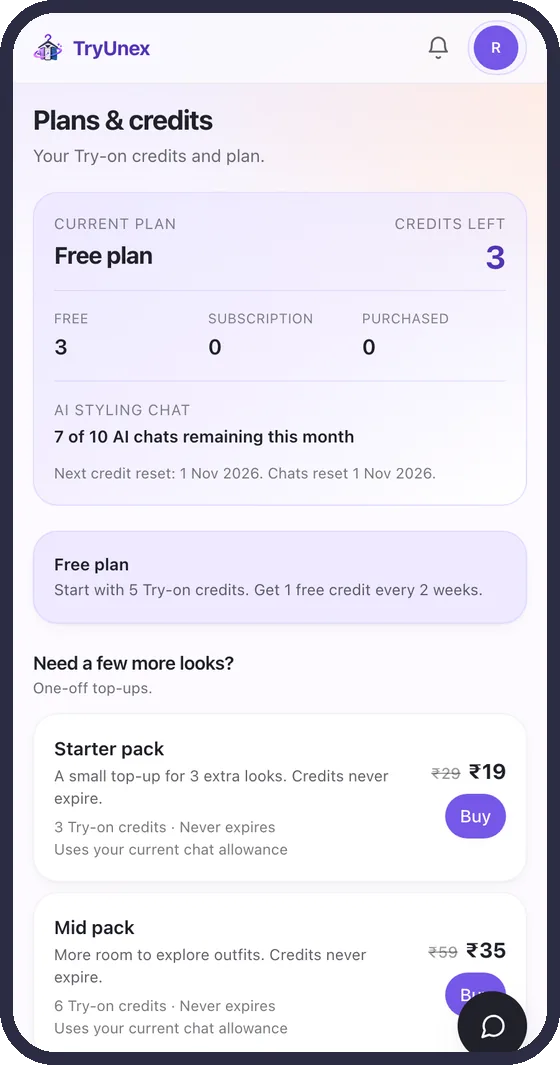
Pack credits never expire. Plan credits renew every month.
8Invite a friend
Share your code. When your friend makes their first look, you both get 3 credits.
1.On Plans & credits, under Invite a friend, tap Share
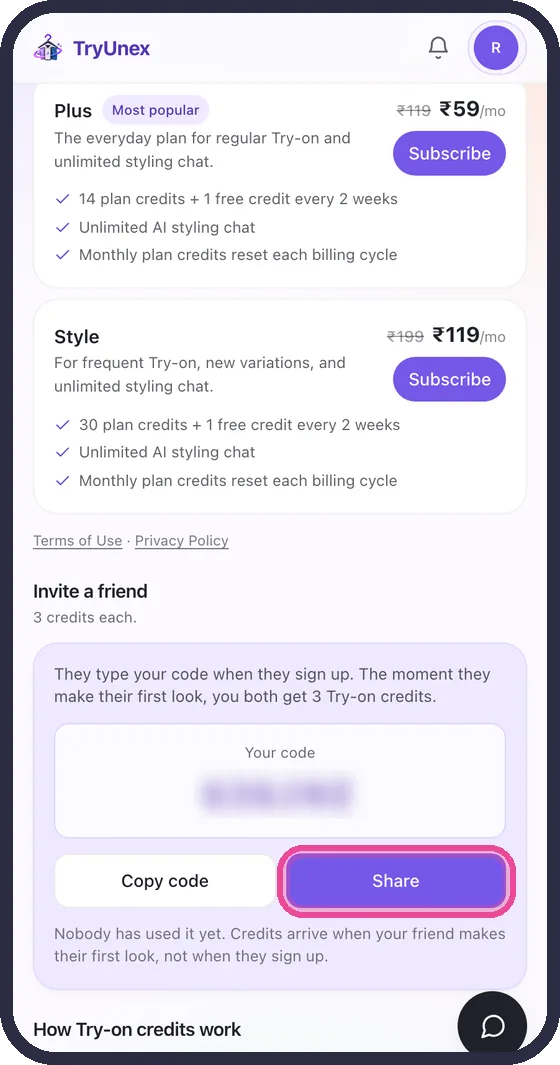
Ready to try?
Five free credits, no card, nothing to cancel.